
Qatar Airways Award Search Tool
Find live award spaces quickly to save time and efforts.

Find live award spaces quickly to save time and efforts.
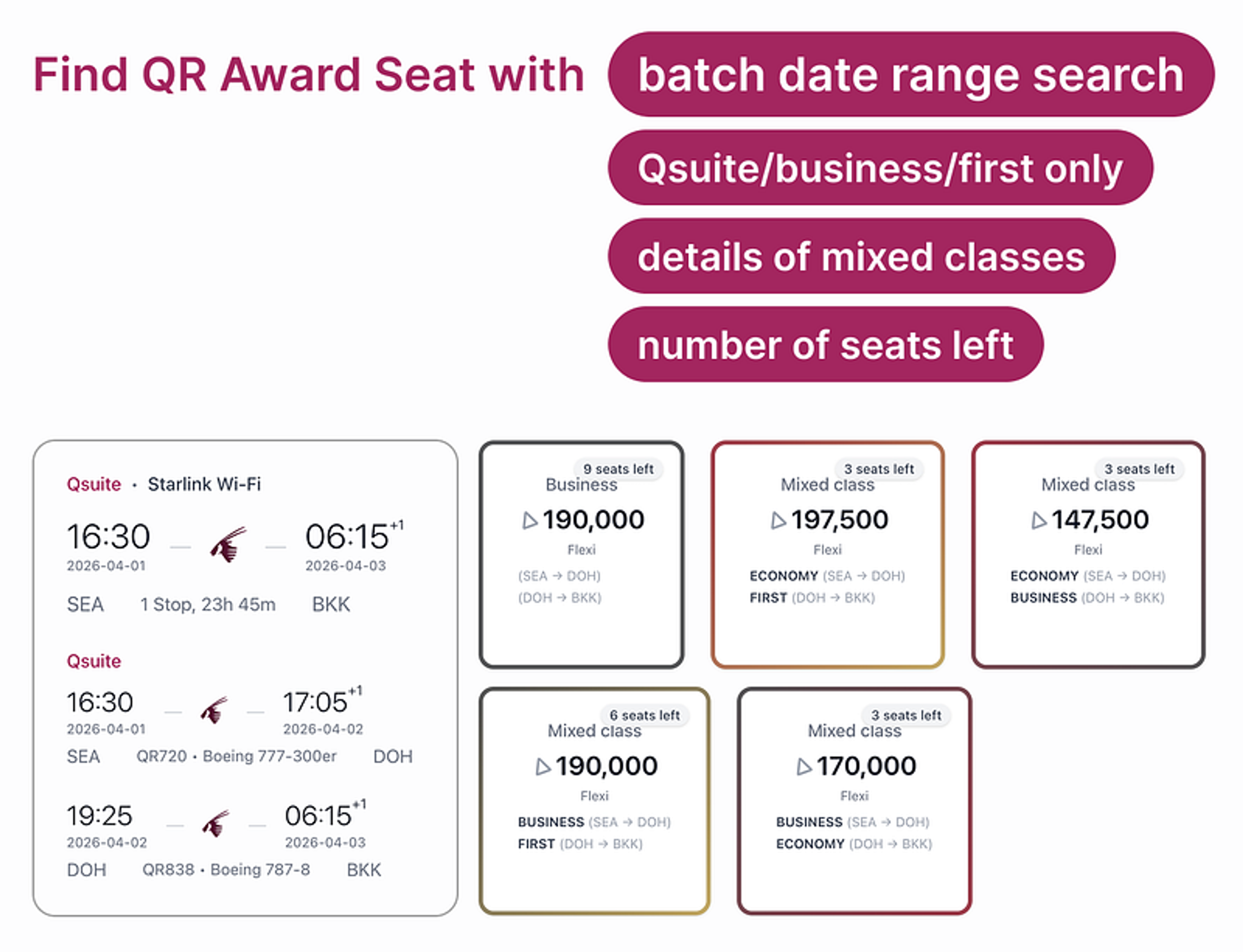
Features
Batch find award spaces with a date range and view them at once, along with cabin/award type filters to find the award seats you wanted.
Versioning
v1: Initial version.
Installing the award search tool
Install Tampermonkey
Install QR Award Search Tool (you should see the installation page from Tampermonkey — if you see download prompt, make sure Tampermonkey is installed.)
If you don’t see the search icon after installing the tool, read the steps here:
To enable a Tampermonkey user script, first navigate to the extension’s settings (often by right-clicking the Tampermonkey icon and selecting “Manage Extension”). Then, locate the “Allow User Scripts” toggle and ensure it’s enabled. Once enabled, you can manage your installed scripts through the Tampermonkey dashboard, where you can activate or deactivate individual scripts for specific websites.
Using the award search tool
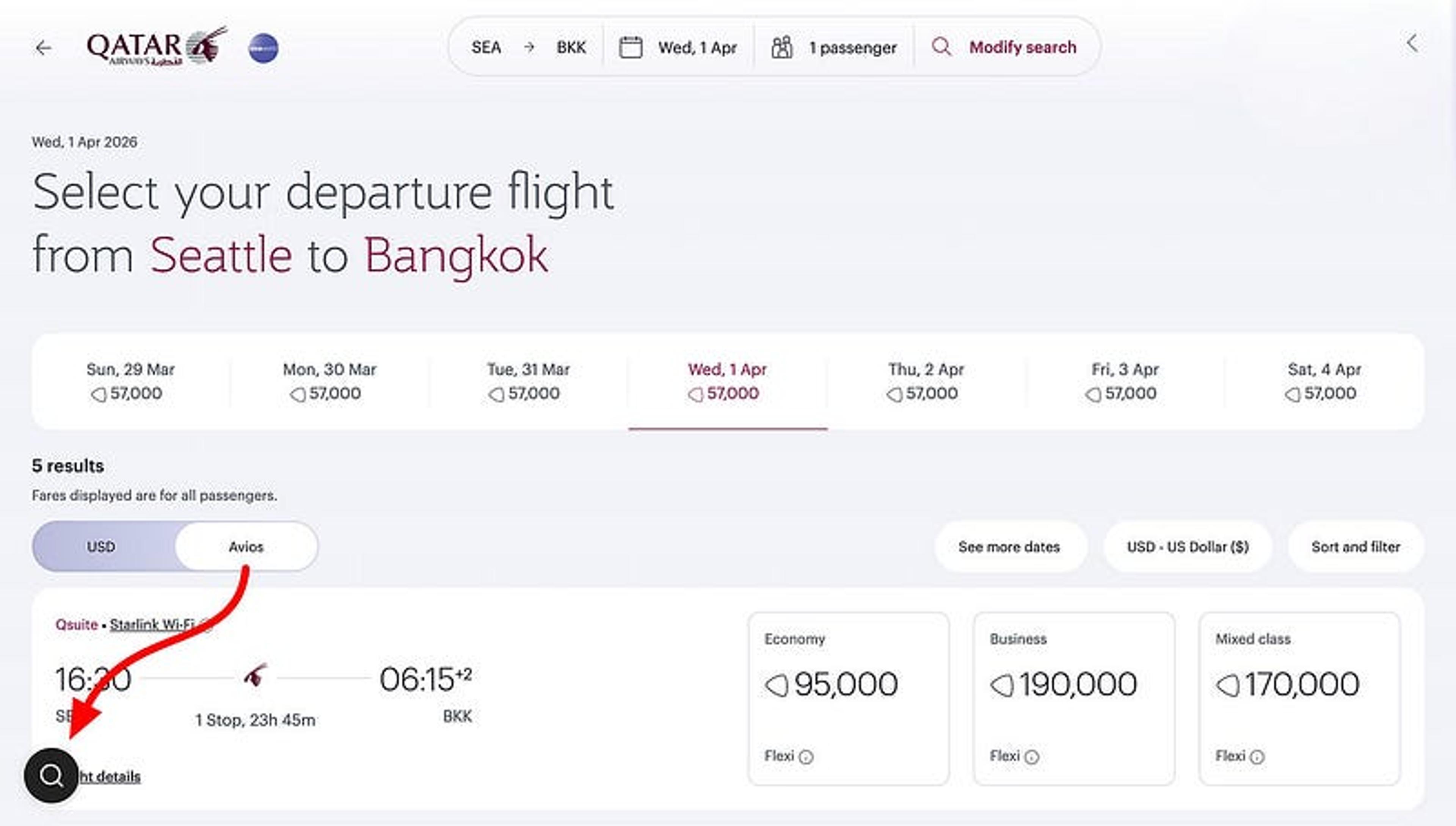
Locate the Avios view of your desired origin and destination with the earliest preferred date. Use one way search.
If you see the old UI like below, search another origin/destination pair like SEA/BKK.
Locate the award search button
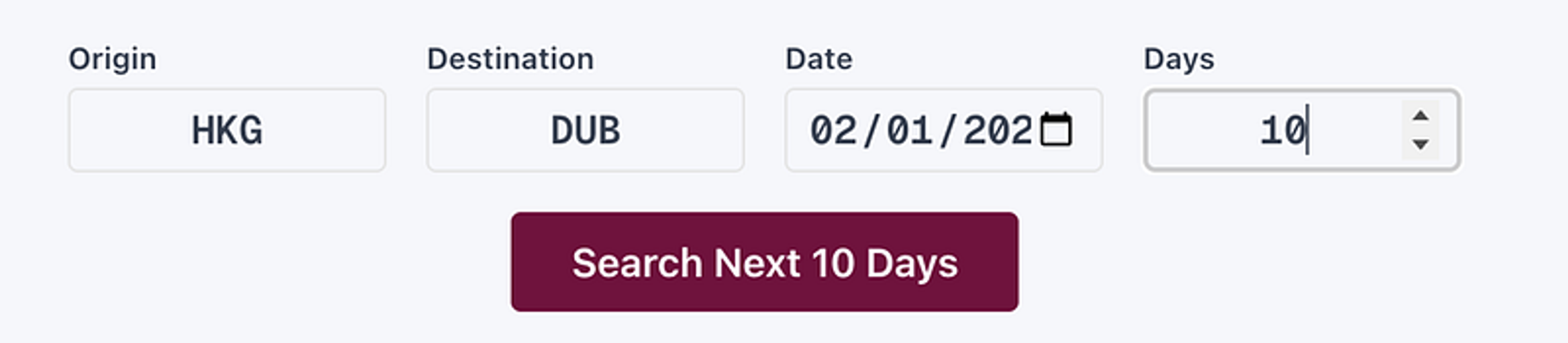
Then, type your desired origin/destination pair and the first desired date. For example, 10 days means it will search through Feb 1 to Feb 10.
Now, you can filter results to find your desired award space quickly.
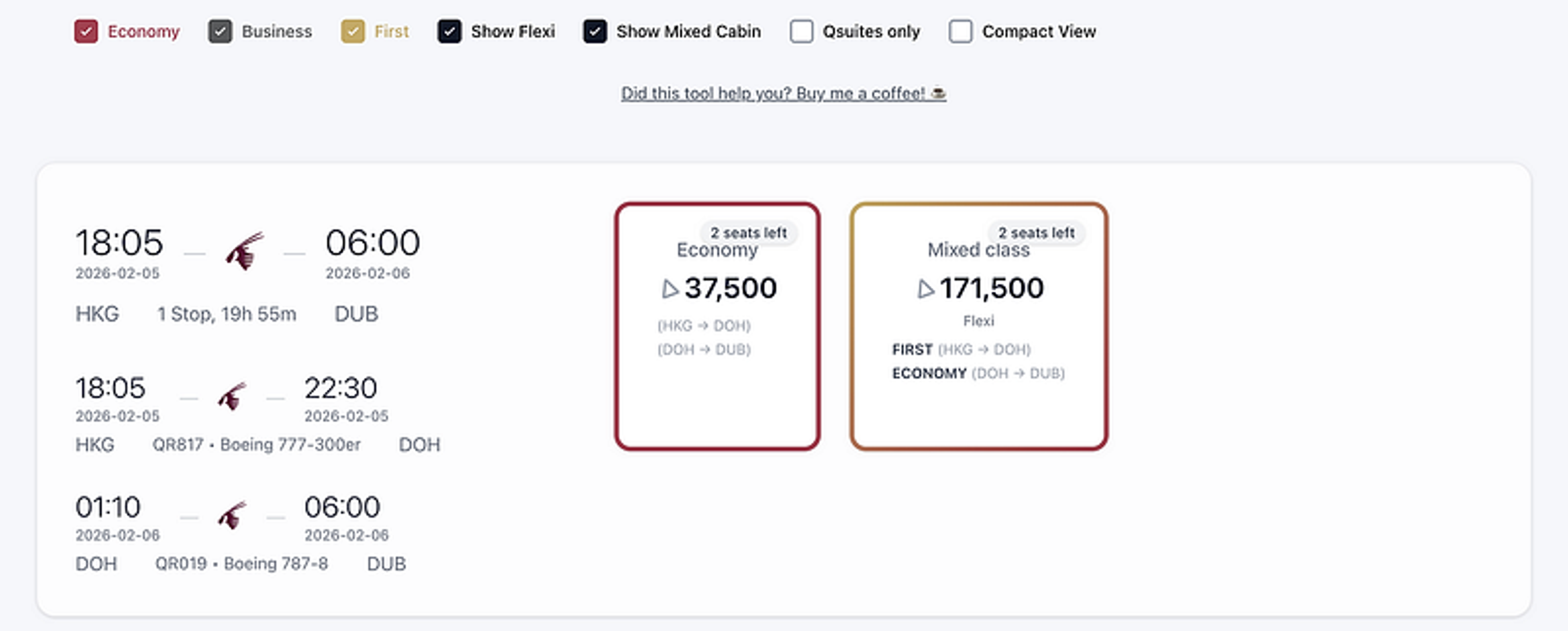
Congrats! You are hours minutes closer to book your award ticket!
If the tool helps you, give a 👍 to this post ❤️


